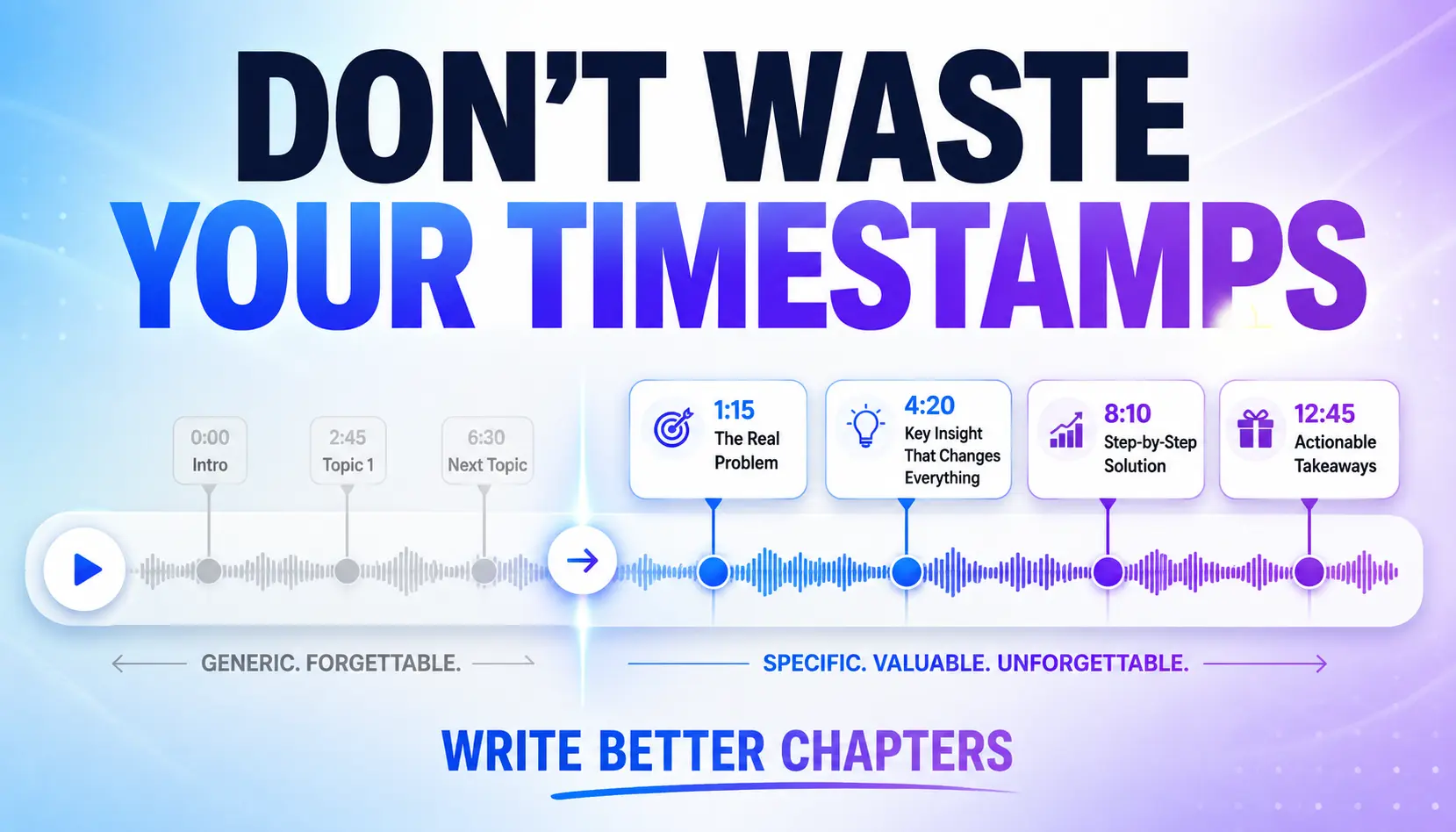
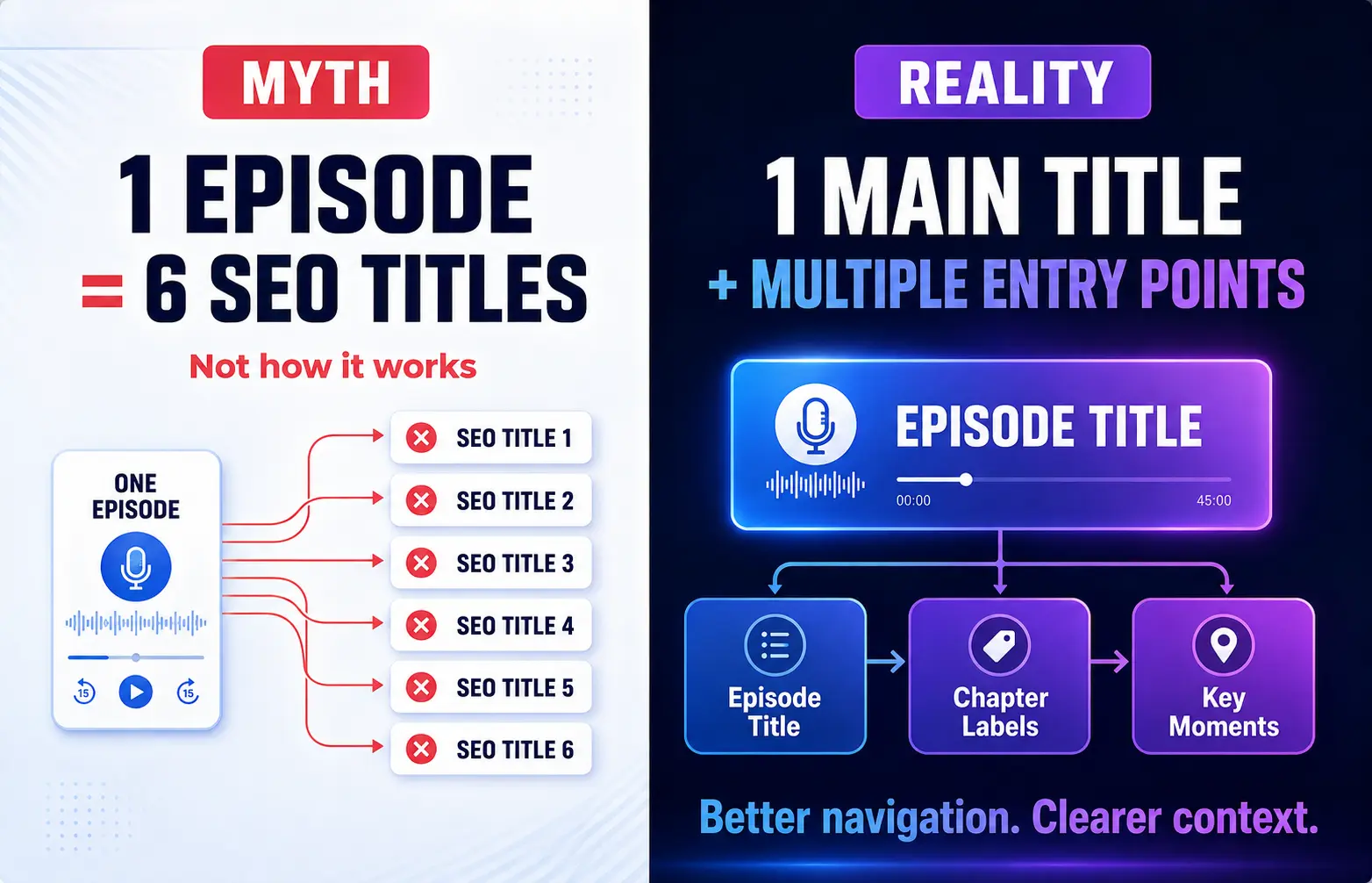
Podcast chapters can help your episode get understood, navigated, and discovered more easily. But not because they magically give one episode six separate SEO titles.
A better way to think about chapters is this:
Your episode gets one main title. Your chapters give people multiple labeled entry points into the ideas inside that episode.
That distinction matters.
On YouTube, properly formatted timestamps can become clickable video chapters, and Google says it can use timestamp labels from YouTube descriptions when displaying video key moments in Search. YouTube also considers information such as the title, description, tags, and actual video content when evaluating relevance for search.
For an audio podcast, chapters can help listeners move through an episode more easily. Apple Podcasts and Spotify both support chapter features, although exactly how chapters are created and displayed depends on the platform and publishing workflow.
And on your website, a useful timestamp list makes your show notes easier to scan.
So yes, chapter titles matter.
Just don’t treat them like a loophole for stuffing six extra keywords into one episode.
Podcast Chapters Are Signposts, Not Extra Episode Titles
Your main episode title still has the biggest job.
It has to explain why somebody should click or listen in the first place. That’s why I recommend leading with the actual topic, problem, or value instead of wasting the beginning of the title on an episode number or a vague phrase.
I break that process down separately in my guide to writing stronger podcast episode titles for search and discovery.
Chapter titles have a different job.
They tell someone:
- what happens in this part of the episode;
- whether that section is relevant to them;
- what question you’re answering;
- what problem you’re solving;
- or what useful idea they can jump directly to.
That makes a chapter title much more useful than:
08:12 — Marketing
or:
14:40 — John Talks About His Business
Those labels may technically describe the recording. They don’t tell anyone why the section is worth their time.
Compare that with:
08:12 — How to Turn One Podcast Episode Into a Week of Content
or:
14:40 — Why Small Businesses Struggle to Repurpose Podcast Interviews
Now the chapter actually communicates something.
That’s the goal.
Do Podcast Timestamps Help SEO?
They can support discovery, but don’t treat timestamps as a guaranteed ranking tactic.
The strongest, clearest case is YouTube. When you format manual chapters correctly, YouTube can turn your timestamps into clickable sections. Google also says it can use timestamps and labels from a YouTube description for video key moments in Search.
That does not mean each chapter becomes a separate webpage or receives its own independent title tag.
Think of the chapter label as additional context around the content already inside your episode.
If your chapter says:
12:44 — Podcast SEO Tips
that gives somebody a general topic.
If it says:
12:44 — Do Podcast Timestamps Actually Help SEO?
you’ve made the subject much clearer.
The second version is better for a human scanner, and it gives discovery systems more precise language about what happens in that part of the episode.
That’s useful optimization.
It’s not a ranking guarantee.
Write Chapter Titles Like Mini Promises
The easiest rule is:
Write a chapter title like a very small episode title.
Not clickbait. Not a keyword dump. Just a clear promise about what that section delivers.
Your chapter should normally identify at least one of these:
- The question being answered.
- The problem being discussed.
- The mistake being corrected.
- The process or method being explained.
- The result or decision the section helps with.
For example:
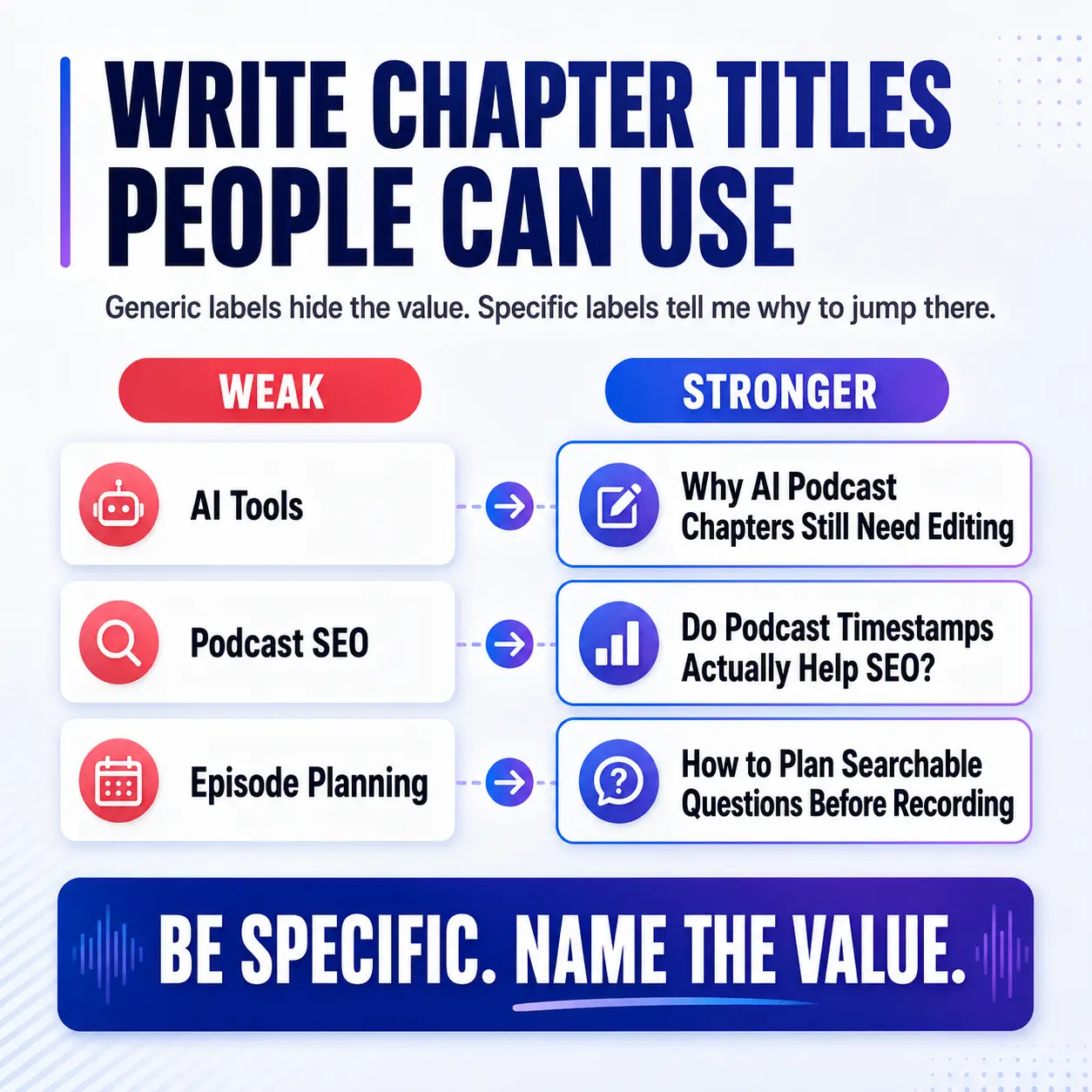
| Weak Chapter | Stronger Chapter |
|---|---|
| Podcast SEO | Do Podcast Timestamps Actually Help SEO? |
| AI Tools | Why AI-Generated Chapters Still Need Editing |
| Episode Planning | How to Plan Searchable Questions Before Recording |
| YouTube | How YouTube Chapters Create Clickable Key Moments |
Notice what I’m not doing.
I’m not forcing five keywords into every line.
I’m making the label useful.
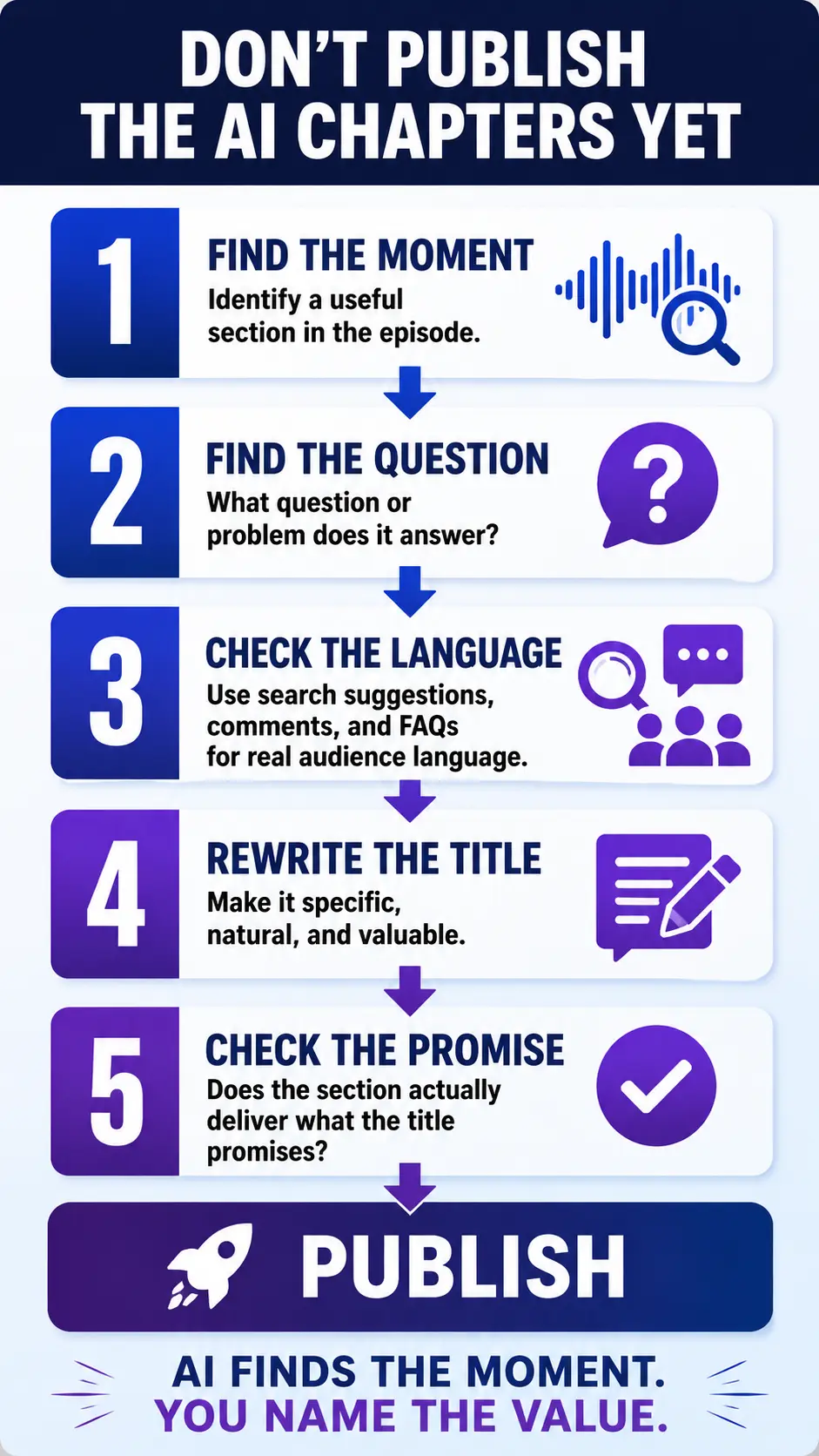
The 5-Step Smart Timestamp Process
Here’s the workflow I recommend before accepting whatever your editing software or AI tool generates.
1. Find the Useful Moments
Start with the transcript.
Look for actual shifts in value: a question gets answered, a process begins, a mistake is explained, an example starts, or the conversation moves into a clearly different problem.
You don’t need a chapter every time somebody changes sentences.
A 40-minute interview does not need 27 chapters just because the AI found 27 topic changes.
Choose the moments somebody might genuinely want to find again.
2. Ask What Question the Section Answers
Take the raw topic and translate it into the audience’s problem.
Raw topic:
AI show notes
Question:
Are AI-generated podcast show notes good enough to publish?
That question immediately gives you better language.
3. Use Search Behavior as a Clue
This is where Google Autocomplete, related questions, YouTube search suggestions, comments, emails, client questions, and FAQs can help.
But there is an important correction to make here.
Google Autocomplete does reflect real searches, but Google says predictions can also be influenced by common queries, location, trending interest, and previous searches. So an Autocomplete suggestion is not proof that a phrase has high search volume.
Use search suggestions to understand how people phrase the problem.
Don’t worship the suggestion box.
If Google gives you an awkward phrase that sounds like it was written by a malfunctioning robot, you don’t have to paste it word for word into your chapter.
Use the language clue. Then write for a human.
4. Rewrite the Label
Now turn the raw subject into a useful chapter title.
Instead of:
AI Tools
try:
Why AI-Generated Podcast Chapters Still Need Editing
Instead of:
Show Notes
try:
How to Write Podcast Show Notes That Help Search and Scanning
Instead of:
Links
try:
How to Keep Podcast Show Notes From Becoming a Link Farm
Specific beats generic.
5. Make Sure the Episode Actually Delivers It
This part gets skipped far too often.
If a two-minute section briefly mentions podcast SEO, don’t title it:
The Complete Podcast SEO System
That’s not optimization. That’s a promise your episode doesn’t keep.
Your chapter title should accurately represent what somebody will hear when they jump to that timestamp.
Use Search Questions Before You Record
You can make this process considerably easier by moving part of it into pre-production.
Instead of recording a broad conversation and trying to manufacture clever chapter names afterward, identify several useful audience questions before you hit record.
This fits directly into a stronger podcast pre-production process.
Imagine you’re recording an episode about podcast show notes.
Before recording, you might identify four real questions:
- Are AI-generated podcast show notes enough?
- Do podcast timestamps help SEO?
- How many links should show notes include?
- Where should the main CTA go?
Now you already have four potential sections.
More importantly, you’ve increased the odds that the episode actually answers four useful questions rather than wandering around one broad topic for 35 minutes.
That’s where chapter strategy becomes more than metadata.
It starts improving the content itself.
Let AI Find Chapters. Don’t Let It Decide Them.
AI is very good at giving you a starting point.
Give it the transcript and it can identify topic shifts, possible timestamps, questions, and draft labels.
That’s useful.
But the first draft often looks something like:
Introduction
Background
The Problem
Tips
Final Thoughts
Technically correct. Nearly useless.
Your job is to decide which moments matter and then rewrite those labels around the actual listener value.
Spotify currently offers automatic episode chapters and lets creators edit chapter titles and timestamps. Apple Podcasts can also create chapters automatically, while chapters you supply yourself can take priority.
Automation can save you time.
Judgment is still your job.
That’s the same principle I use throughout a good automated podcast workflow: automate the repetitive work without outsourcing the decisions that determine whether the finished episode is actually useful.
YouTube Chapter Rules You Need to Know
If you’re publishing a video podcast on YouTube, manual chapters have specific formatting requirements.
YouTube currently requires the first timestamp to begin at 00:00, at least three timestamps listed in ascending order, and each chapter must be at least 10 seconds long.
A simple description might look like this:
00:00 — Do Podcast Chapters Help SEO?
01:42 — Why Generic Timestamp Titles Waste the Opportunity
04:18 — How to Find Better Chapter Topics
07:31 — Using Google Search Suggestions Correctly
10:26 — Planning Chapters Before You Record
Once the technical formatting is correct, focus on clarity.
The chapter title should match what happens in that section.
And remember that chapters are one part of YouTube discovery. Your main title and thumbnail still have different, much bigger jobs, which I cover in my guide to YouTube podcast SEO, titles, and thumbnails. YouTube says search ranking considers relevance, engagement, and quality rather than one isolated metadata trick.
What About Apple Podcasts and Spotify Chapters?
Audio podcast chapters are primarily a navigation feature.
Apple says chapters let listeners browse and navigate episode segments, and Apple can automatically generate chapters when that feature is enabled. If you provide your own chapters, Apple says those can take priority over the automatic version.
Spotify supports automatic chapters as well as manual chapters added through episode descriptions or compatible RSS chapter support.
That means your exact workflow will depend on your hosting platform and where you’re publishing.
Don’t assume that typing timestamps into a WordPress article automatically creates native chapter navigation in every podcast app.
Your website timestamps, YouTube chapters, and RSS/app chapters can share the same editorial structure, but they are not necessarily the same technical feature.
The Real Podcast Chapter SEO Strategy
The point isn’t to turn one podcast into six fake SEO titles.
The point is to make the structure of your episode visible.
One strong episode might contain an answer about podcast SEO, another about AI show notes, another about YouTube chapters, and another about pre-production.
Good chapter labels expose that structure.
They make it easier for somebody to understand the episode, find the relevant section, and decide where to start.
And if you discover yourself writing much better chapters after the episode than the ideas you actually recorded, that’s useful feedback too.
Next time, move those questions upstream.
Build them into the outline.
Record the answers intentionally.
Then your title, chapters, show notes, clips, and search content all come from the same planned episode instead of getting bolted on after the fact.
Build Better Chapters and Show Notes Faster
If you want a repeatable version of this workflow, the Podcast Show Notes Builder Kit includes the Smart Timestamp Chapter Builder along with the Front-Loaded Show Notes Formula, AI Search Q&A Block, CTA and Link Cleanup Worksheet, and the 10-Minute Show Notes Builder.
Explore the Podcasting Pro Tools Library and get the Podcast Show Notes Builder Kit.
Frequently Asked Questions
Do podcast timestamps help SEO?
Podcast timestamps can support discovery by adding clear topical labels and making an episode easier to navigate, but timestamps do not create multiple independent webpages or guarantee rankings. On YouTube specifically, Google says timestamp labels from the video description can be used for key moments in Search.
Should podcast chapter titles contain keywords?
Use natural topic language that accurately describes the section. If a relevant keyword fits naturally, use it. Don’t rewrite an accurate, useful chapter into awkward keyword-stuffed copy just to squeeze in another phrase.
How many chapters should a podcast episode have?
Use enough chapters to represent meaningful sections without turning every conversational shift into a new chapter. YouTube manual chapters require at least three timestamps, but beyond the technical minimum, the appropriate number depends on the length and structure of the episode.