Starting a podcast is technically easier than ever.
Starting one that has a clear reason to exist, reaches the right people, survives the production workload, and actually accomplishes something useful is a different story.
If you want the short version, here it is:
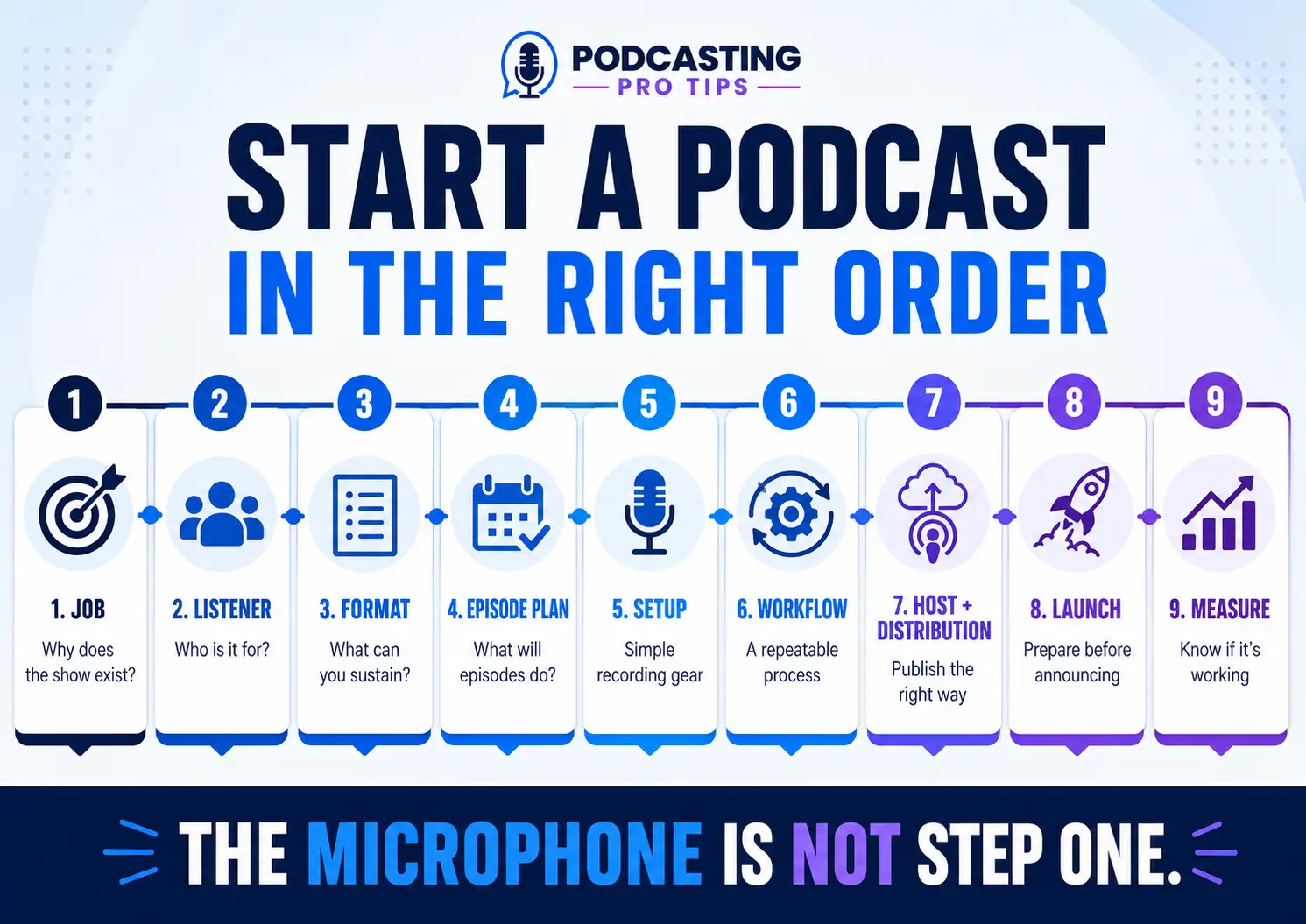
To start a podcast, define what the show is supposed to accomplish, decide who it is for, choose a format you can realistically sustain, plan how episodes will work, build a simple recording and production setup, choose a podcast host, distribute the show, prepare the launch, and decide how you will know whether the podcast is working.
Notice what did not come first.
The microphone.
The internet is very good at selling you microphones before you’ve figured out what you’re going to say into them.
Here is the better order.
Step 1: Decide What Job the Podcast Is Supposed to Do
Before you choose a microphone, show name, guest list, or camera, answer this:
Why does this podcast exist, and what useful job should it perform?
A podcast can help build authority. It can educate customers. It can create an audience you can reach through email. It can start sales conversations, support a membership, attract opportunities, strengthen a community, or give a company a useful library of educational content.
Those are different jobs.
And they create different podcasts.
Imagine a web designer launching a show for small business owners.
If the goal is simply “grow an audience,” almost any topic seems reasonable.
If the goal is to become the trusted expert for businesses preparing for a website redesign, the decisions get much clearer. The host can choose topics around bad website decisions, conversion problems, project planning, pricing mistakes, accessibility, content preparation, and what business owners should know before hiring someone.
Now the podcast has a job.
That job starts influencing everything downstream.
This is one of the biggest production mistakes I see: people start making episodes before deciding what those episodes are supposed to accomplish.
The show can look professional, sound professional, and publish every Tuesday like clockwork…and still leave everybody wondering why they are doing it.
Step 2: Define Who Should Listen and Why They Should Care
Once you know the job, answer two more questions:
Who is this show specifically for?
Why should that person choose this podcast?
“Entrepreneurs” is not much of an audience definition.
Neither is “people interested in health,” “music lovers,” or “anyone who wants to improve their life.”
You need enough specificity to make useful editorial decisions.
Your listener definition affects your topics, titles, examples, guests, level of explanation, CTA, and even the questions you ask during an interview.
Your podcast also needs a clear promise.
What should the right listener consistently expect to understand, solve, improve, or experience because they follow the show?
If you need help developing that foundation, start with my guide to defining your podcast concept and laying the foundation for your show.
You do not need a clever slogan yet.
You need clarity.
Step 3: Choose a Format You Can Actually Sustain
The best podcast format isn’t the one that looks impressive on somebody else’s YouTube channel.
It’s the one that serves your listener and fits the amount of time, people, equipment, preparation, and editing you can realistically support.
Your basic choices include:
- Solo episodes
- Guest interviews
- Co-hosted conversations
- A combination of formats
- Audio-only
- Audio and video
Video can create useful YouTube and social content, but it also adds cameras, lighting, framing, file management, editing, and another layer of quality control.
None of that makes video bad.
It means video has a cost.
The same is true of guest interviews. A guest format can be great when the guest genuinely serves the show. But it also creates research, scheduling, communication, backup plans, and additional production dependencies.
Build around your actual capacity instead of the imaginary production company you plan to become someday.
Step 4: Design the Episode Before You Press Record
Good pre-production can save an amazing amount of unnecessary recording and editing.
You do not necessarily need a word-for-word script.
You do need to know where the episode is going.
For most teaching episodes, decide:
- What problem does this episode address?
- Why should the listener care?
- What should the listener understand by the end?
- What are the two or three main teaching points?
- What example, story, or demonstration will make the idea clear?
- What useful action should happen next?
That last point matters.
If the podcast is performing a business or organizational job, every episode should not just wander to the finish line and end with, “Well…thanks for listening.”
The next step might be another episode. It could be a resource, an email signup, a consultation, a product, a class, a community, or simply one action you want the listener to take.
The right CTA depends on the episode.
For a deeper look at planning before recording, see why podcast pre-production matters.
Want an Easier Way to Speak Without Reading a Script?
The Podcasting Pro Tips Free Vault includes The Topic Flow Drill: How to Eliminate Script Reliance and Speak with Natural Authority.
It is designed to help you move from reading full scripts toward a more natural episode structure while still knowing where the conversation is going.
Explore the Podcasting Pro Tips Free Vault
Ready to Build a True Podcast Business Asset?
Individual tools are great, but if you don’t know why your show exists or exactly who it is for, you will still end up making random content. Stop guessing and get the complete foundational blueprints to turn your podcast into a business asset.
Step 5: Build a Simple Recording Setup
Now we can talk about microphones.
You do not need a giant studio to start a useful podcast.
You do need audio that is clear enough that the production does not get in the way of the message.
For many new podcasters, a straightforward USB microphone can be enough. An XLR microphone and audio interface give you more flexibility when the setup grows.
Dynamic microphones are often practical in untreated spaces because they can make it easier to manage room sound when used correctly.
That does not mean condenser microphones are automatically wrong.
Microphone choice, placement, room acoustics, speaking distance, gain, and recording technique all work together.
Also pay attention to the boring stuff:
- A reasonably quiet room
- Stable microphone placement
- Headphones when appropriate
- Consistent speaking distance
- Proper recording levels
- A recording test before the important guest arrives
Those things aren’t as exciting as unboxing videos, but they solve a lot more problems.
If you want the fuller equipment breakdown, see what equipment you need to start a podcast.
Step 6: Create a Repeatable Podcast Production Workflow
A podcast gets much harder when every episode is produced differently.
Create a basic path that every recording follows.
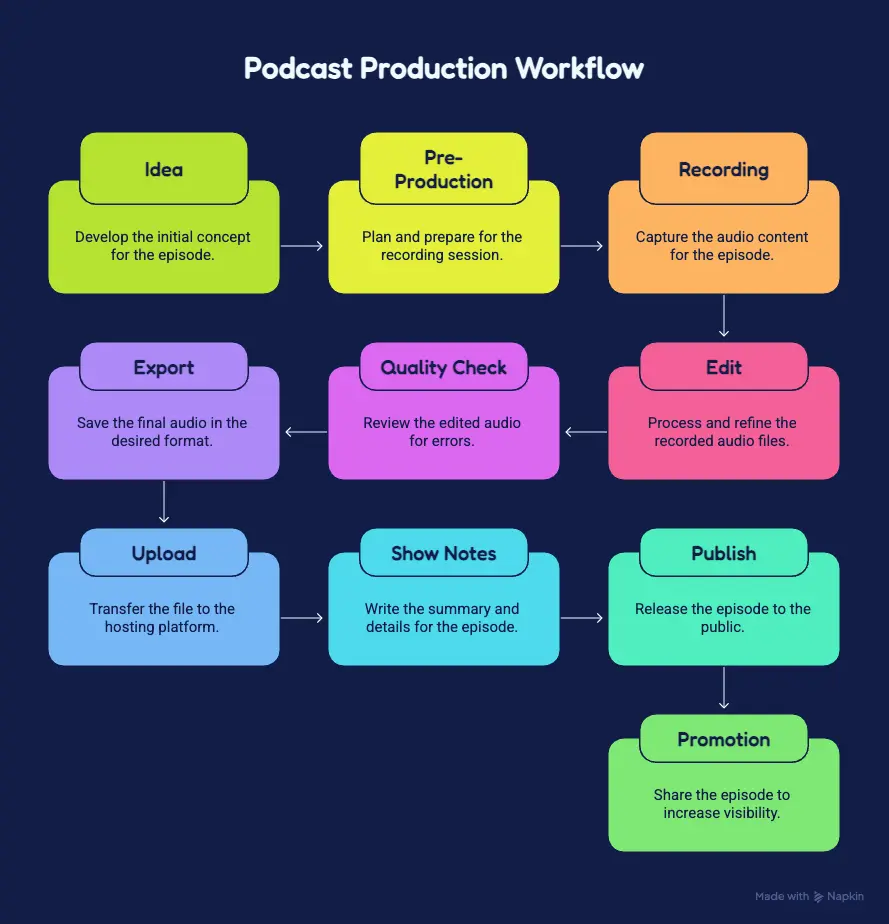
Idea → Pre-Production → Recording → Edit → Quality Check → Export → Upload → Show Notes → Publish → Promotion
If you record guests remotely, choose a recording system that gives you dependable individual recordings instead of relying only on the sound of the live call.
Then decide the practical details.
Where do raw recordings go?
How are project files named?
Where do finished files live?
Who approves an episode if more than one person is involved?
What actually needs editing?
What doesn’t?
You are trying to remove unnecessary decisions from the production process.
The first episode will still take longer.
That’s normal.
The goal is to avoid rebuilding the same workflow every week.
Step 7: Choose a Podcast Host and Set Up Distribution
For a traditional RSS-based podcast, your podcast hosting platform stores your episode media and creates the RSS feed that podcast directories use to understand your show.
The RSS feed carries information such as:
- Show title
- Episode titles
- Descriptions
- Artwork information
- Publication dates
- Episode media locations
Your podcast host provides the infrastructure, but don’t assume that clicking “Publish” means the show is automatically configured everywhere you want it to appear.
Distribution procedures vary by hosting platform and listening platform.
Before launch, verify the major destinations you want to use, claim or configure the appropriate creator accounts, and make sure the podcast actually appears correctly.
In other words:
Your host creates the infrastructure. You still need to verify the distribution.
Step 8: Prepare the Show Before You Announce the Launch
Do not confuse “I exported episode one” with “the podcast is ready.”
Before announcing the show, make sure the basic launch package exists.
That normally includes:
- Show name
- Podcast description
- Cover artwork
- Hosting account
- RSS feed
- Major directory listings
- Published or scheduled launch content
- Episode titles and descriptions
- Working website and CTA links
- A clear next step for the listener
A trailer can also help quickly explain what the show is, who it is for, and why somebody should follow it.
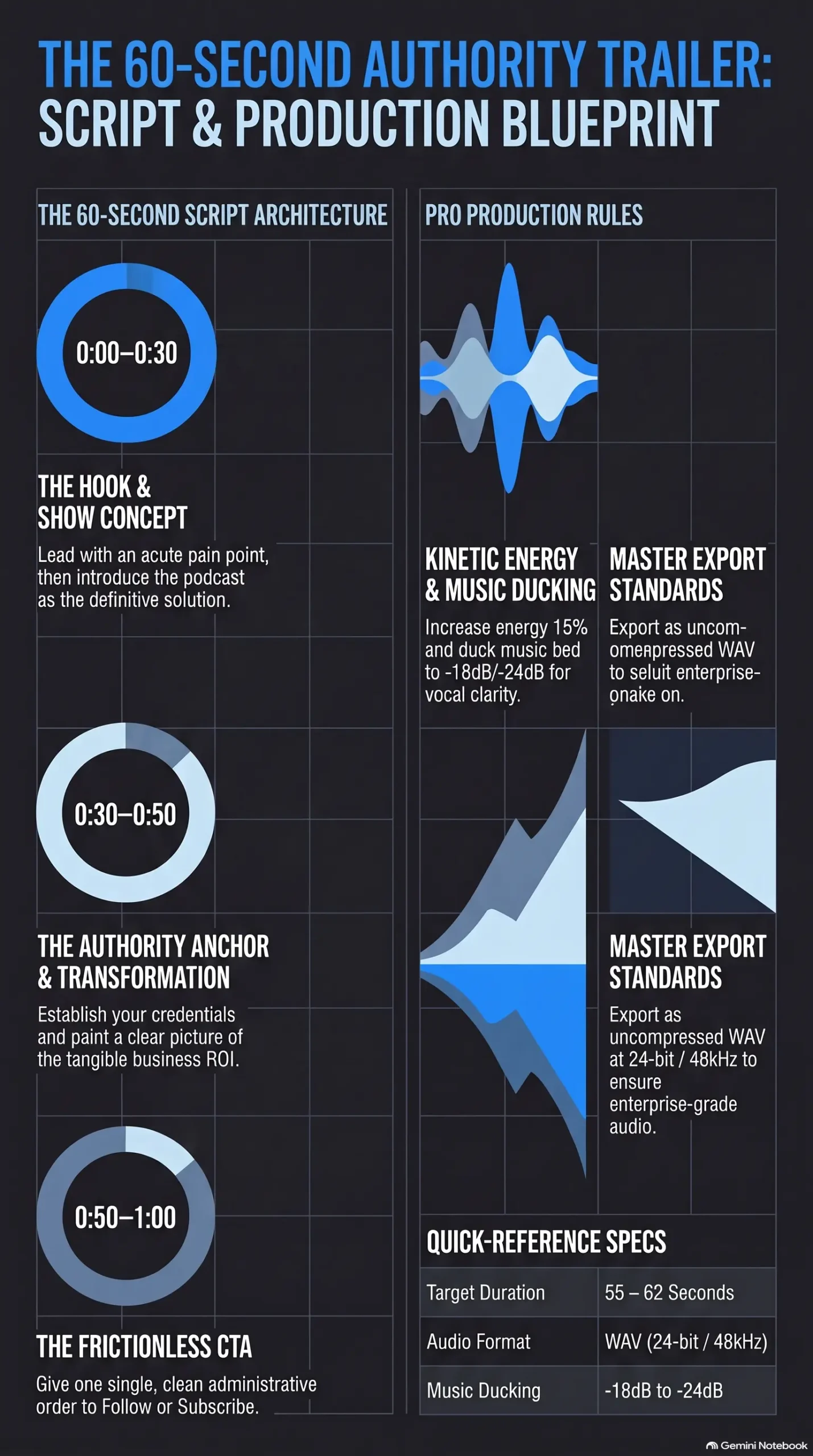
Have additional episodes planned or prepared so your entire production system is not immediately dependent on figuring out next week’s idea under pressure.
And test the boring things.
Click the links.
Open the show on your phone.
Look at the artwork.
Listen to the published file.
Make sure the CTA goes where you said it goes.
It is much easier to fix those problems before you start sending people to the podcast.
Step 9: Decide How You Will Know Whether the Podcast Is Working
This is the part a lot of start-a-podcast guides skip.
They teach you how to publish the podcast without teaching you how to evaluate it.
Downloads are useful.
They can tell you something about distribution and consumption.
But if the podcast exists to support a business, organization, professional practice, product, community, or another defined objective, downloads are not automatically the complete measure of value.
Go back to the job you chose in Step 1.
If the podcast is supposed to grow an email audience, track relevant signups.
If it is supposed to create inquiries, track inquiries.
If it supports sales, look for direct and assisted influence on sales conversations and purchases.
If it exists partly as a content engine, track the useful articles, clips, emails, videos, and other assets created from the recording.
If authority or relationships matter, document those outcomes too rather than pretending everything can be reduced to one number.
For a deeper explanation, read Beyond the CPM: Redefining Podcast ROI.
The question is not simply:
“How many downloads did we get?”
A better question is:
“Did this podcast perform the job we built it to perform, and what evidence do we have?”
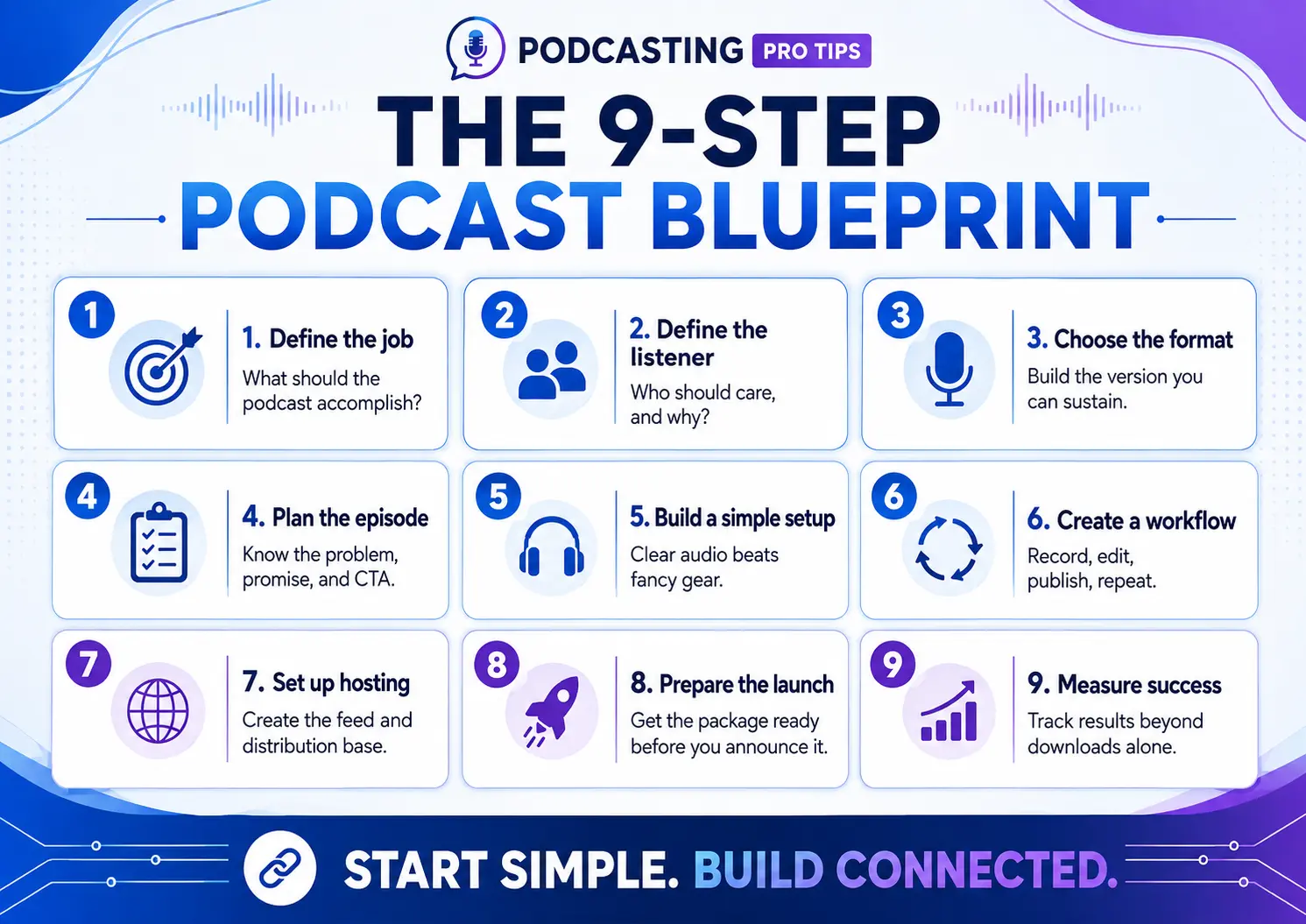
Start Simple. But Don’t Start Disconnected.
You do not need the world’s best microphone.
You do not need a $20,000 set.
And, thankfully, you do not need the obligatory neon ON AIR sign and fake plant collection before episode one.
You need a reason for the show to exist, a person it is meant to help, a format you can sustain, a production process you can repeat, and a way to determine whether the effort is producing something useful.
Get those decisions right first.
The equipment becomes much easier to choose after that.
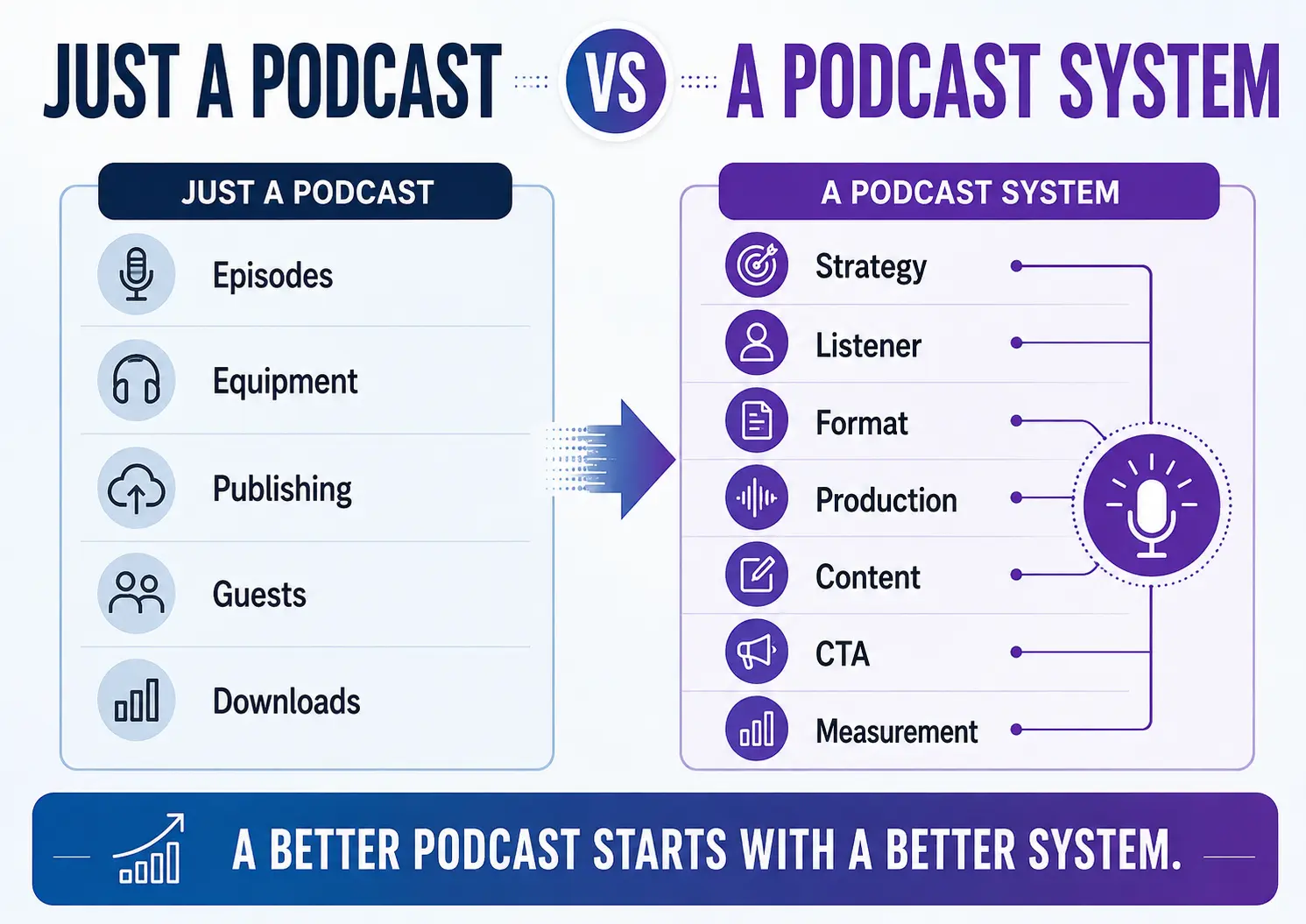
Build the System Behind the Podcast
If you’re starting a podcast for a business, brand, professional practice, organization, creative business, or another useful purpose, the decisions in this blueprint eventually need to work together.
That’s what the Podcast Business System + Podcast Production OS is designed to help you build.
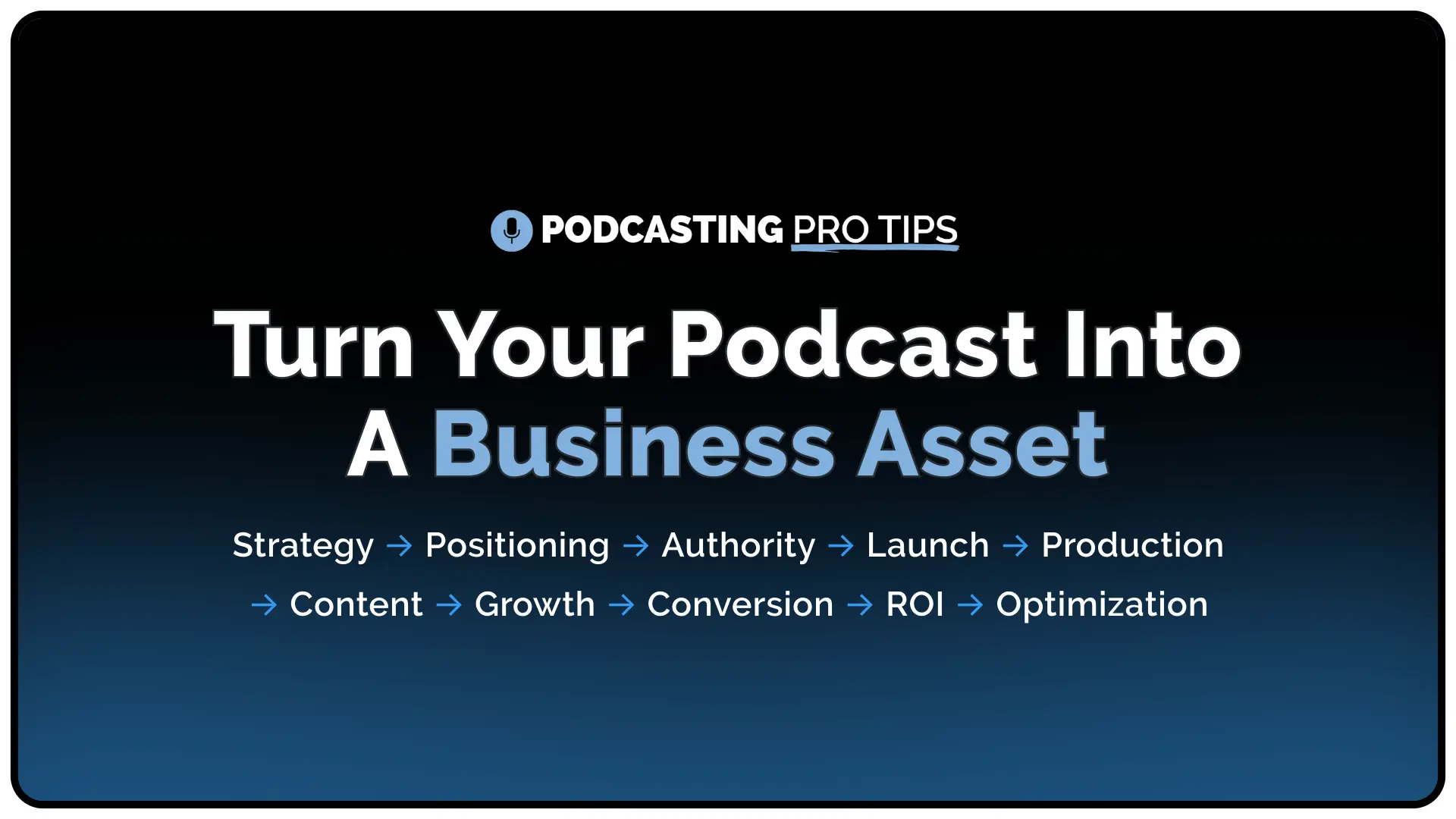
The Podcast Business System helps you make the connected decisions behind the show. The Podcast Production OS helps carry those decisions into episode planning, production, publishing, and ongoing content.
Instead of bolting a strategy onto the podcast after you’ve already produced dozens of episodes, you build the show around the job it is supposed to perform from the beginning.