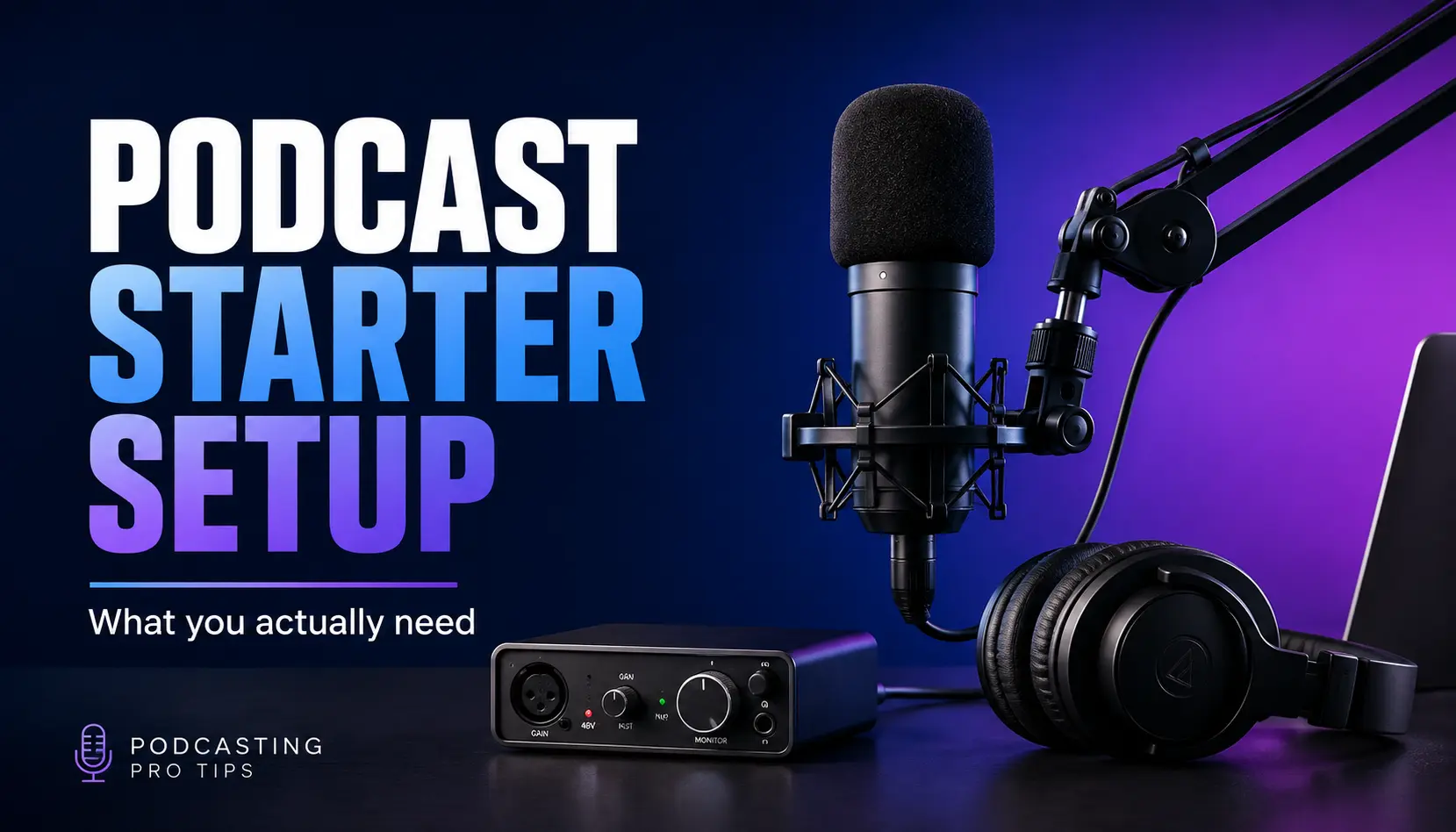
You do not need a professional recording studio to start a podcast.
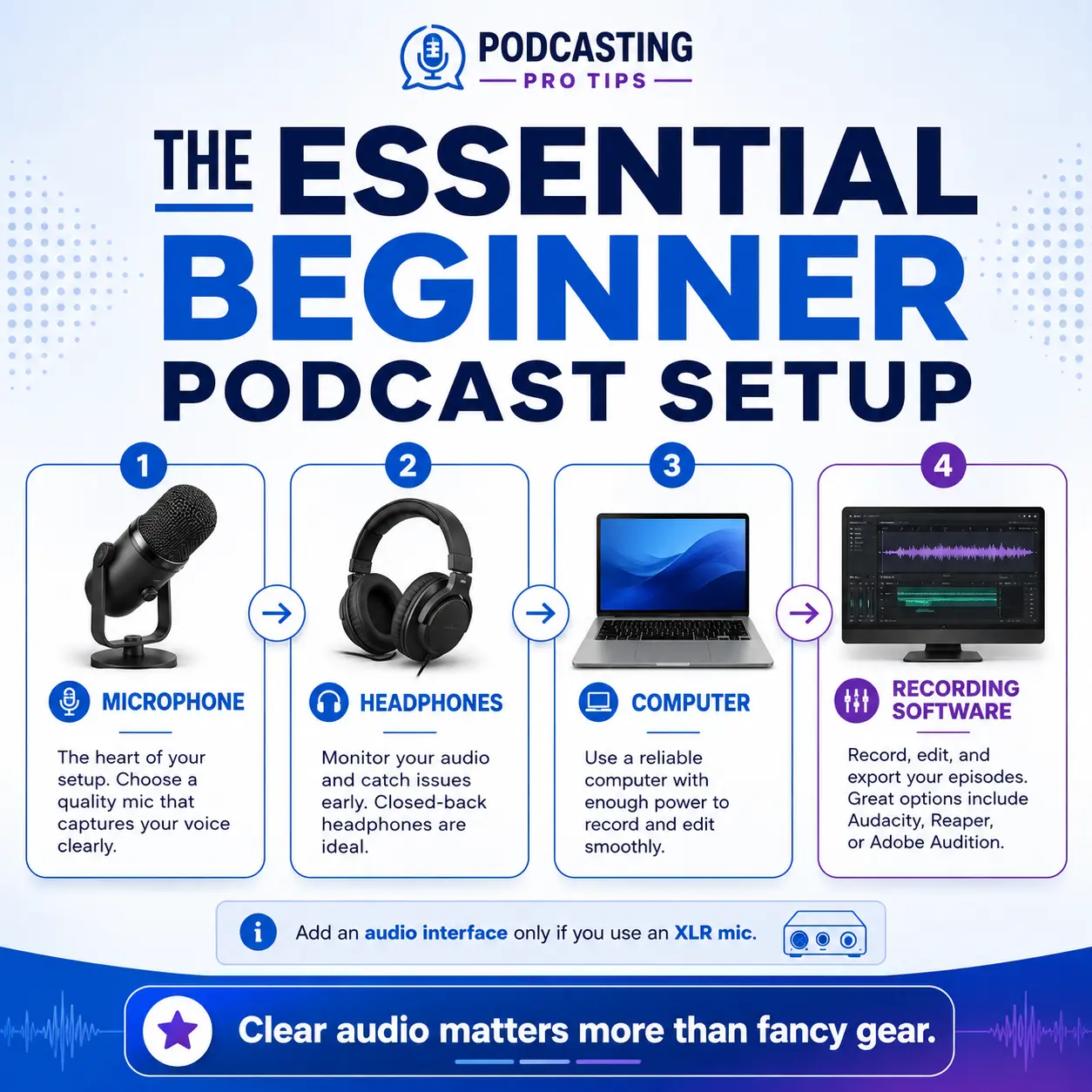
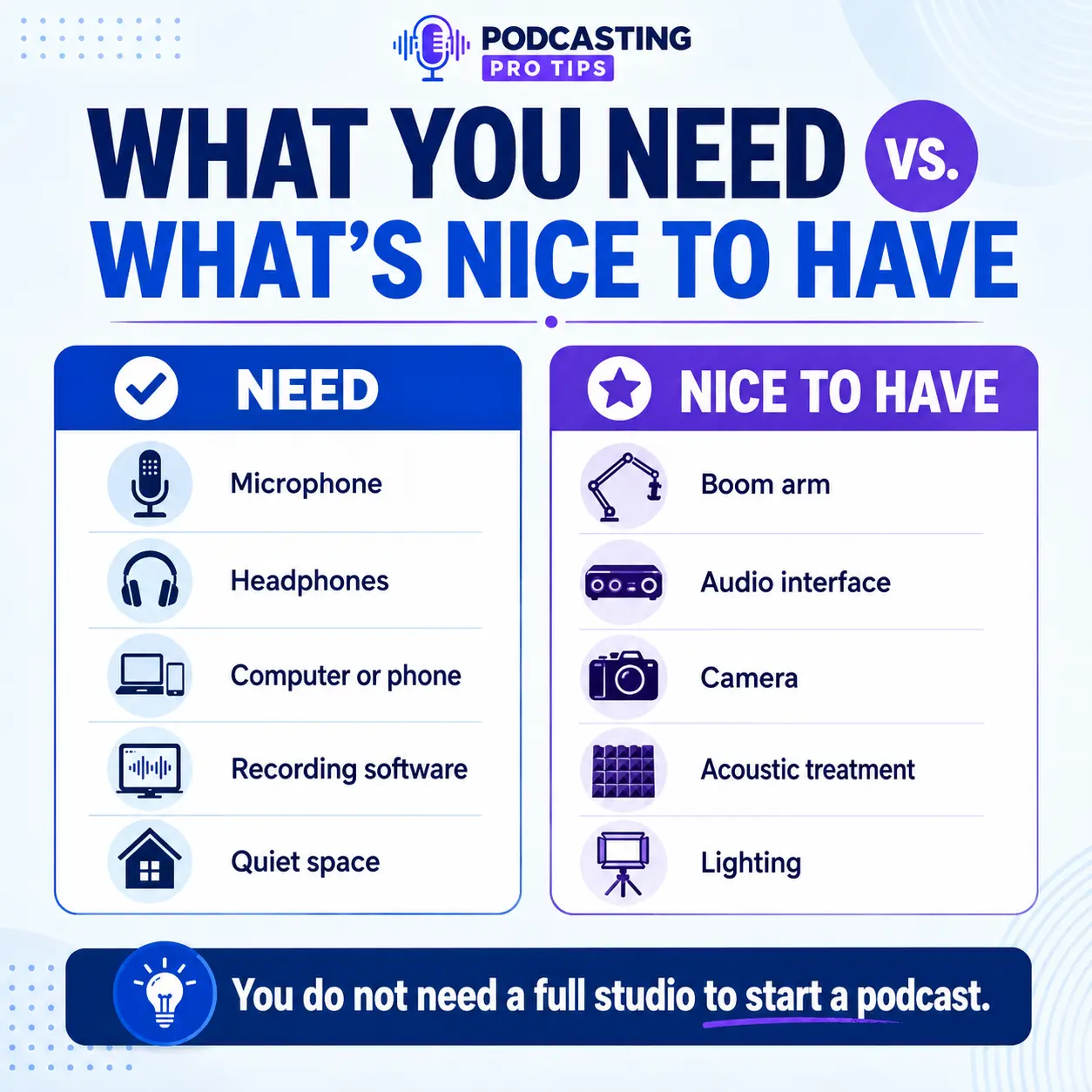
For most beginners, the essential podcast equipment is surprisingly simple: a microphone, wired headphones, a mic stand or boom arm, a computer or recording device, and recording software. If you choose an XLR microphone, you will also need an audio interface and XLR cable.
The bigger question is not, “What microphone should I buy?”
It is:
How are you actually going to record your podcast?
A solo podcast recorded at a desk needs a different setup than a two-person interview show. A remote podcast has different requirements than an in-person show. And if video is part of the plan, that changes the equipment again.
I have spent a lot of time around audio equipment as an engineer and producer, and one of the easiest ways to waste money is to start buying gear before you understand the recording workflow.
So here is the setup I would build from.
Podcast Equipment Checklist for Beginners
For a basic podcast, you will normally need:
- A computer or compatible recording device
- One microphone for each person recording in the room
- Wired closed-back headphones
- A microphone stand or boom arm
- Recording software
- The correct USB or XLR cables
- An audio interface if you are using XLR microphones
- A reasonably quiet recording space
You may also want:
- A pop filter or windscreen
- Acoustic treatment
- A camera
- Lighting
- Additional headphone monitoring
- Backup recording or storage
And no, you do not automatically need a giant mixer covered in glowing buttons.
We will get there if your production actually requires it.
Before You Buy Podcast Equipment, Decide How You Will Record
Your recording format should determine your equipment.
Before ordering anything, answer four questions:
- Are you recording alone or with people physically in the room?
- Will guests join remotely?
- Are you producing audio only or audio and video?
- Are you building something portable or a permanent recording space?
This is one reason podcast pre-production matters. Equipment is part of the production plan. It should not become the production plan.
For example, someone recording a weekly solo show from the same desk might be perfectly served by one USB/XLR microphone and headphones.
A show with two people sitting across a table needs two microphones, enough interface inputs, two sets of headphones, cables, stands, and a room arranged to control microphone bleed.
Those are different systems.
Buy for the show you are actually making.
1. Start With a Good Podcast Microphone
The microphone is the centerpiece of your audio setup, but expensive does not automatically mean appropriate.
For many beginner home podcast setups, I prefer a microphone that allows you to work fairly close to it and minimizes how much room sound gets into the recording.
That often makes a cardioid dynamic microphone a practical choice.
But there is an important correction to a lot of beginner podcast advice:
A condenser microphone is not automatically bad in an untreated room, and a dynamic microphone does not magically reject everything around it.
Microphone pickup pattern, sensitivity, distance, room acoustics, placement, and your speaking technique all affect the recording.
A condenser can sound excellent in the right environment. A poorly positioned dynamic microphone in a reflective room can still sound lousy.
The goal is not “dynamic good, condenser bad.”
The goal is to capture as much useful direct voice and as little unwanted room as practical.
USB vs. XLR Podcast Microphones
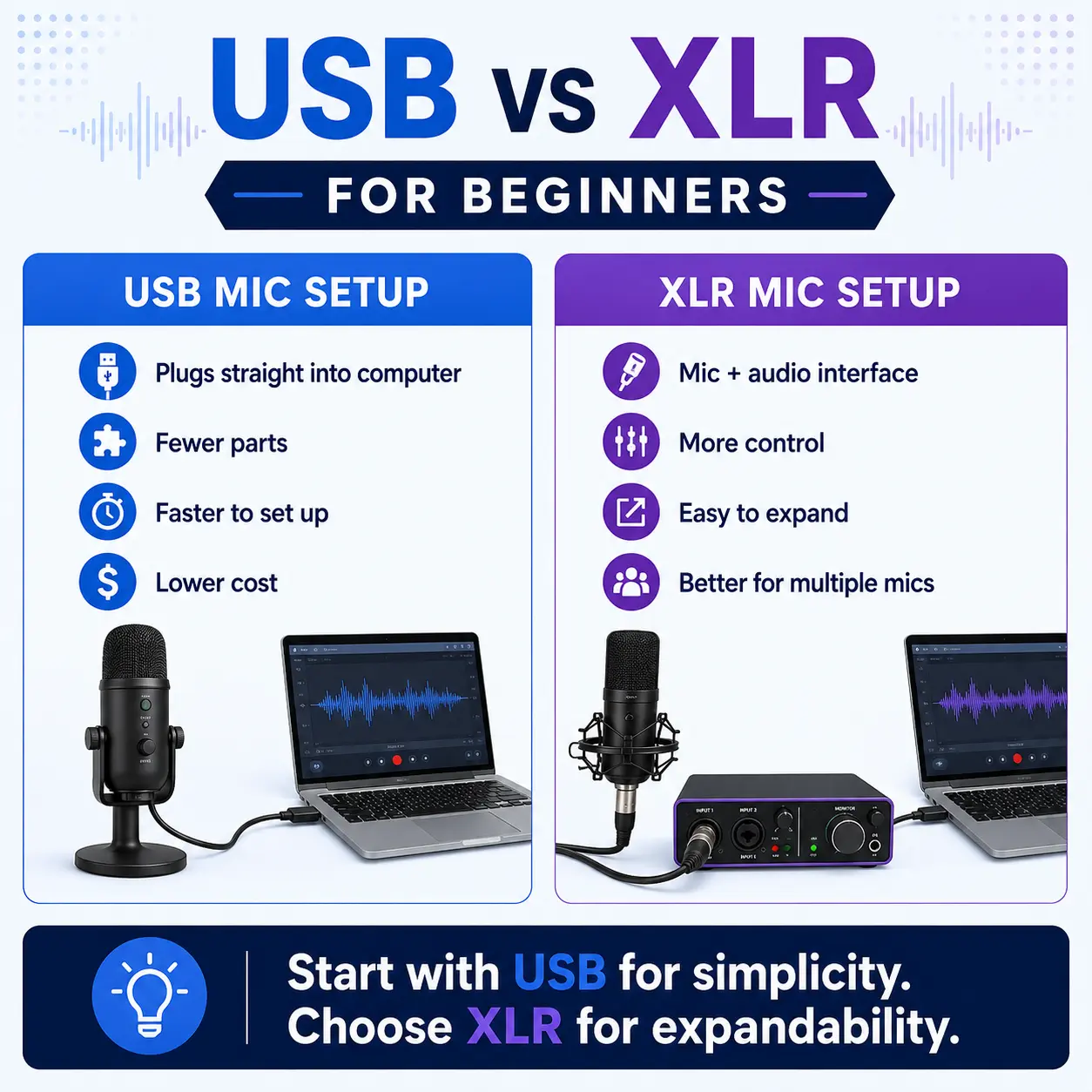
A USB microphone connects directly to your computer.
An XLR microphone connects to an audio interface, mixer, recorder, or similar microphone preamp before reaching the computer.
For many beginners, a microphone offering both USB and XLR is a smart middle ground.
You can start with USB without buying an interface and still have an XLR connection available if your production grows later.
Current examples include the Audio-Technica ATR2100x-USB, RØDE PodMic USB, and Shure MV7+. Audio-Technica confirms that the ATR2100x provides USB-C digital and XLR analog outputs; RØDE provides both USB-C and XLR on the PodMic USB; and Shure’s current MV7+ also supports USB-C and XLR.
That flexibility can save you from replacing your microphone just because your recording workflow changes.
2. Use Wired, Closed-Back Headphones
Headphones are not just for listening to your podcast after it is finished.
They let you monitor what is actually being recorded.
That helps you catch things such as:
- Unexpected background noise
- Plosives
- Distortion
- Connection problems
- Poor microphone position
- Guest audio problems
- Clothing or desk noise
For recording, I generally recommend wired, closed-back headphones.
Closed-back headphones help isolate the earcups so your microphone is less likely to pick up your headphone playback. Wired monitoring also avoids the latency associated with typical Bluetooth audio paths.
You do not need exotic audiophile headphones.
The Audio-Technica ATH-M20x is a current closed-back model designed for tracking and monitoring, while Sony’s long-running MDR-7506 remains a closed-ear professional monitoring headphone.
The important part is reliable monitoring—not whether your headphones look impressive sitting next to the fake plant.
3. You Only Need an Audio Interface If Your Setup Requires One
If your microphone connects directly through USB, you may not need a separate audio interface at all.
An interface becomes necessary when you use traditional XLR microphones and need to convert their analog signals into digital audio your computer can record.
The important beginner specification is often simpler than all the numbers on the product page:
How many microphones do you need to connect at the same time?
If you record alone, one microphone preamp may be enough.
If two people record in the same room, you normally want two microphone inputs.
For example, the current Focusrite Scarlett Solo has one microphone preamp, while the Scarlett 2i2 has two.
That makes the decision pretty straightforward.
One XLR microphone?
One input may be enough.
Two XLR microphones?
Buy an interface with at least two appropriate microphone inputs.
Do not buy a one-input interface today if you already know your show will regularly have two people sitting in the room.
That is how you wind up buying the same category of equipment twice.
4. Get the Boring Stuff: Stand, Cables and Windscreen
This is the gear nobody gets excited about until it causes a problem.
Microphone Stand or Boom Arm
Good microphone positioning matters.
You want to be able to bring the microphone to the speaker instead of making the speaker lean across a desk toward the microphone.
A boom arm can make positioning easier, especially for a desk-based podcast.
Just remember that clamping an arm to a desk does not automatically eliminate mechanical noise. Desk vibration can still travel through some mounts and stands.
Positioning and isolation still matter.
XLR or USB Cable
Make sure you have the correct cable for your microphone, interface and computer.
This sounds painfully obvious.
It becomes considerably less obvious ten minutes before you planned to record.
Pop Filter or Windscreen
A pop filter or windscreen helps reduce plosive air blasts from sounds such as P and B.
It does not prevent electrical clipping caused by recording levels that are too high.
Those are two different problems.
Good mic placement, sensible gain settings and a pop filter can all work together.
5. Your Room Is Part of Your Podcast Equipment
You can buy a great microphone and still make a terrible recording in a bad room.
Hard, empty rooms create reflections. Your voice hits the walls, ceiling, floor and other hard surfaces and returns to the microphone slightly later.
That creates the roomy or echoey sound people often try to repair with software afterward.
Software can help.
It is still better to avoid recording the problem when you can.
You do not necessarily need to cover every square inch of your room with acoustic foam.
Start with the obvious problems:
- Avoid large empty rooms
- Move away from highly reflective surfaces when possible
- Use rugs, curtains, furniture and other absorptive materials intelligently
- Keep the microphone reasonably close to the speaker
- Point the microphone correctly
- Reduce unnecessary fans, air conditioners and mechanical noise while recording when practical
Your room and microphone position can make a bigger difference than moving from one perfectly respectable microphone to another slightly more expensive microphone.
That is an important distinction when deciding where to spend and where to save on a home podcast studio.
6. Choose Recording Software That Fits Your Workflow
You need some way to record and eventually edit the podcast.
You do not necessarily need an expensive software subscription when you are starting.
Audacity remains free and open-source multitrack audio recording and editing software.
For remote interviews and video workflows, a platform such as Riverside can record participants and create separate locally recorded audio and video tracks. Riverside currently supports local recording and separate tracks rather than relying solely on the quality of the live internet call.
Descript takes a different approach and includes transcript-based audio and video editing, allowing media editing through text.
The point is not that everyone needs the same software.
Choose software based on what your show actually needs:
- Solo recording
- Remote interviews
- Video
- Multitrack editing
- Transcript editing
- Clips
- Team collaboration
- Publishing workflow
Then build a repeatable process around it.
Eventually, the workflow matters more than having seventeen apps you barely know how to use.
Do You Need Video Podcast Equipment?
No.
You do not need video equipment to start an audio podcast.
But if YouTube, video clips and visual content are part of your actual content plan, then video should not be treated as an afterthought either.
A basic video podcast setup can add:
- A camera or capable smartphone
- A tripod or stable mount
- Lighting
- Reliable power
- Storage or recording media
- A clean framing and background plan
- A method for synchronizing or managing your audio and video
Do not automatically assume you need 4K, three cameras and a dramatic wall of colored lights.
Start with the production result you need.
If you are deciding how far to go with video quality, see 4K vs. 1080p for video podcasting.
Podcast Equipment by Recording Format
Solo Podcast — Simplest Setup
You need:
- One USB or USB/XLR microphone
- Wired closed-back headphones
- Boom arm or mic stand
- Computer
- Recording software
An audio interface is optional if your microphone records directly through USB.
Solo Podcast — XLR Setup
You need:
- One XLR microphone
- One-input or larger audio interface
- XLR cable
- Wired headphones
- Boom arm or mic stand
- Computer
- Recording software
Remote Interview Podcast
The host needs:
- Microphone
- Headphones
- Computer
- Remote recording platform
- Reliable internet connection
Each remote guest should ideally have their own microphone and headphones at their location.
You do not need a second microphone sitting next to you for a guest who is 800 miles away.
I mention that because, yes, equipment lists on the internet can get weird.
Two-Person In-Room Podcast
You will normally need:
- Two microphones
- Two microphone stands or arms
- Two XLR cables
- An interface, mixer or recorder supporting both microphones
- Monitoring for both participants
- Recording software
- A room suitable for two open microphones
Once multiple people are recording in one physical space, microphone placement and room acoustics become even more important.
Video Podcast
Start with the appropriate audio system above, then add:
- Camera
- Stable camera support
- Lighting
- Power
- Storage
- Video recording or capture workflow
Audio is still not optional just because the camera looks good.
A beautiful 4K image paired with echoey, distant speech is still a bad podcast experience.
Podcast Equipment You Probably Do Not Need Yet
A beginner usually does not need:
- A large broadcast mixer
- Multiple cameras
- Expensive external microphone preamps
- Studio monitor speakers
- A rack full of processors
- A giant acoustic renovation
- Several microphones “just in case”
- Elaborate switching systems
- A control surface covered in glowing buttons
Could you eventually need some of those things?
Absolutely.
But equipment should solve a production problem you actually have.
Professional gear is useful when the production requires it. Buying more equipment does not create a more professional show by itself.
The same principle applies to your entire launch.
Once you have a usable recording setup, move on.
Your microphone does not need another three weeks of research.
Your podcast needs an episode.
If you are still building the show itself, use my How to Start a Podcast Blueprint to work through the larger launch process.
My Recommended Beginner Podcast Setup
If I were helping a new podcaster build a simple system today, I would usually start with this:
For one person: a good USB/XLR dynamic microphone, wired closed-back headphones, a solid boom arm or stand, and appropriate recording software.
That gives you a small setup that can start through USB and expand into an XLR workflow later.
For two people recording together: two microphones, a two-mic interface or recording system, two headphones, proper stands and cables.
For remote interviews: prioritize each participant’s microphone and headphones plus a recording platform designed for remote sessions. (Grab my free gear guide below)
Then fix the room and your microphone technique before assuming another equipment purchase is the answer.
That is the part gear shopping tends to skip.
The Bottom Line
The best beginner podcast equipment is not the most expensive setup you can afford.
It is the smallest reliable setup that supports the show you actually plan to produce.
Start with:
- A microphone appropriate for your environment
- Wired headphones
- Proper microphone positioning
- An interface only if your microphone setup needs one
- Recording software
- A reasonably controlled room
Then record.
Once the equipment works, your bigger challenge is no longer the microphone.
It is creating a show worth listening to consistently.
Want More Practical Podcast Tools?
The Podcasting Pro Tips Free Vault includes free podcast templates, guides and planning resources that can help you move from equipment setup into actually building and producing the show.
Frequently Asked Questions About Podcast Equipment
Can I start a podcast with just a laptop and USB microphone?
Yes. For a solo podcast, a computer, good USB microphone, wired headphones and recording software can be enough to begin. A hybrid USB/XLR microphone can also give you room to expand later.
Do I need an audio interface to start a podcast?
Only if your microphone or recording configuration requires one. A USB microphone can connect directly to a compatible computer. Traditional XLR microphones normally require an interface, mixer or recorder with microphone inputs.
Do I need a mixer for a podcast?
Most solo beginners do not need a mixer. A simple USB microphone or microphone-plus-interface setup is often enough. Mixers become more useful when the production requires additional inputs, routing, live processing or more complex monitoring.
Is a dynamic microphone better than a condenser for podcasting?
Neither microphone type is automatically better. Dynamic microphones are often convenient for close-address podcast recording in ordinary rooms, while condensers can work extremely well in appropriate environments. Pickup pattern, room acoustics, placement and technique matter as much as the microphone category.
Do I need headphones while recording a podcast?
They are strongly recommended. Headphones allow you to monitor the recording and catch unwanted noise, distortion, connectivity issues and other problems before the session is over.