If viewers click your video podcast and disappear almost immediately, the problem may not be the quality of the conversation.
They may simply be waiting too long to discover why they should care.
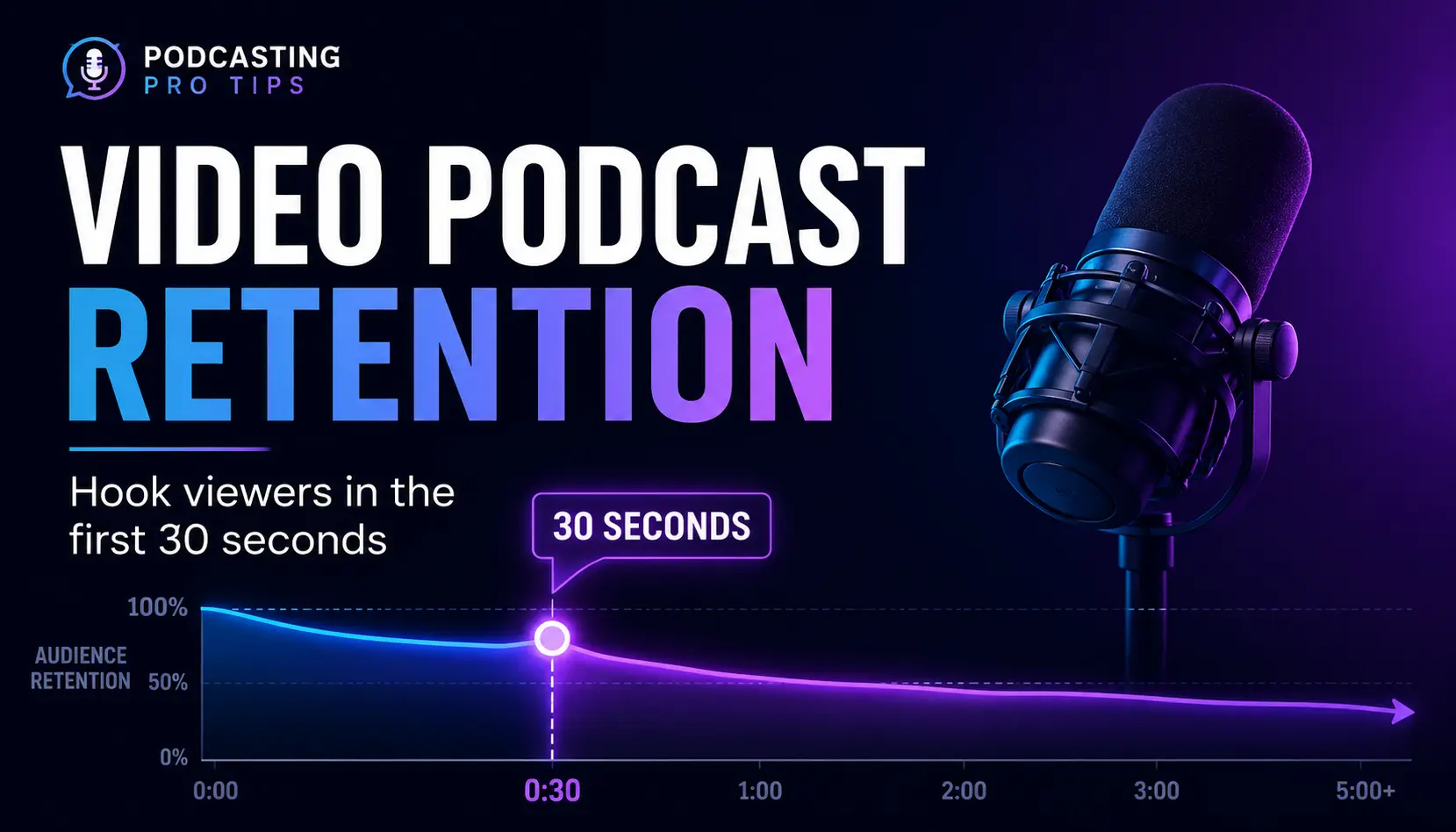
YouTube specifically gives creators an Intro audience-retention measurement showing what percentage of viewers are still watching after the first 30 seconds. YouTube says a stronger intro can indicate that the beginning of the video matched the expectation created by the title and thumbnail and kept the audience interested.
That makes the opening of a video podcast important.
But it does not mean you need a jump cut every four seconds, a dramatic sound effect, flying text, three camera angles, and somebody pointing at an animated arrow.
A visual pattern interrupt can help. The bigger job is making sure the first 30 seconds actually earn the next 30.
What Is a Pattern Interrupt in a Video Podcast?
A pattern interrupt is an intentional change in what the viewer sees, hears, or experiences that helps redirect attention.
For a video podcast, that might be:
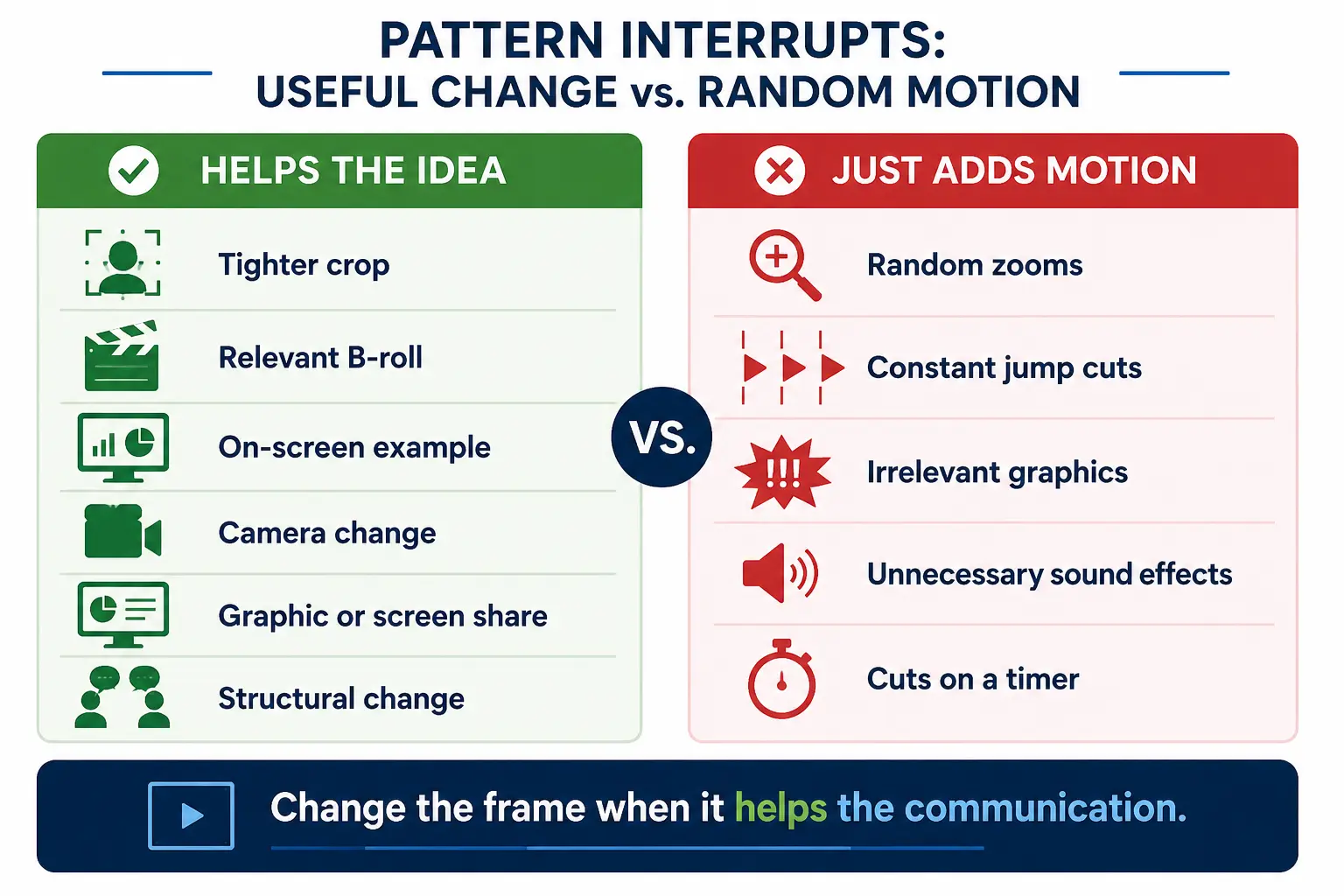
- changing from a wide shot to a tighter crop;
- cutting to the guest at the right moment;
- showing a relevant graphic;
- bringing an example onto the screen;
- switching briefly to a screen recording;
- adding a short text callout;
- changing the pace or structure of the conversation.
The key word is intentional.
A pattern interrupt isn’t supposed to be random motion designed to keep somebody’s eyeballs occupied. It should support the idea being communicated.
If you’re adding a zoom because the viewer needs to notice something, good.
If you’re adding a zoom because eight seconds have passed and somebody on the internet told you that’s when brains get bored, you’re editing by superstition.
Your Video Actually Starts Before the Viewer Presses Play
The opening of a YouTube video doesn’t begin at 0:00.
It begins with the title and thumbnail.
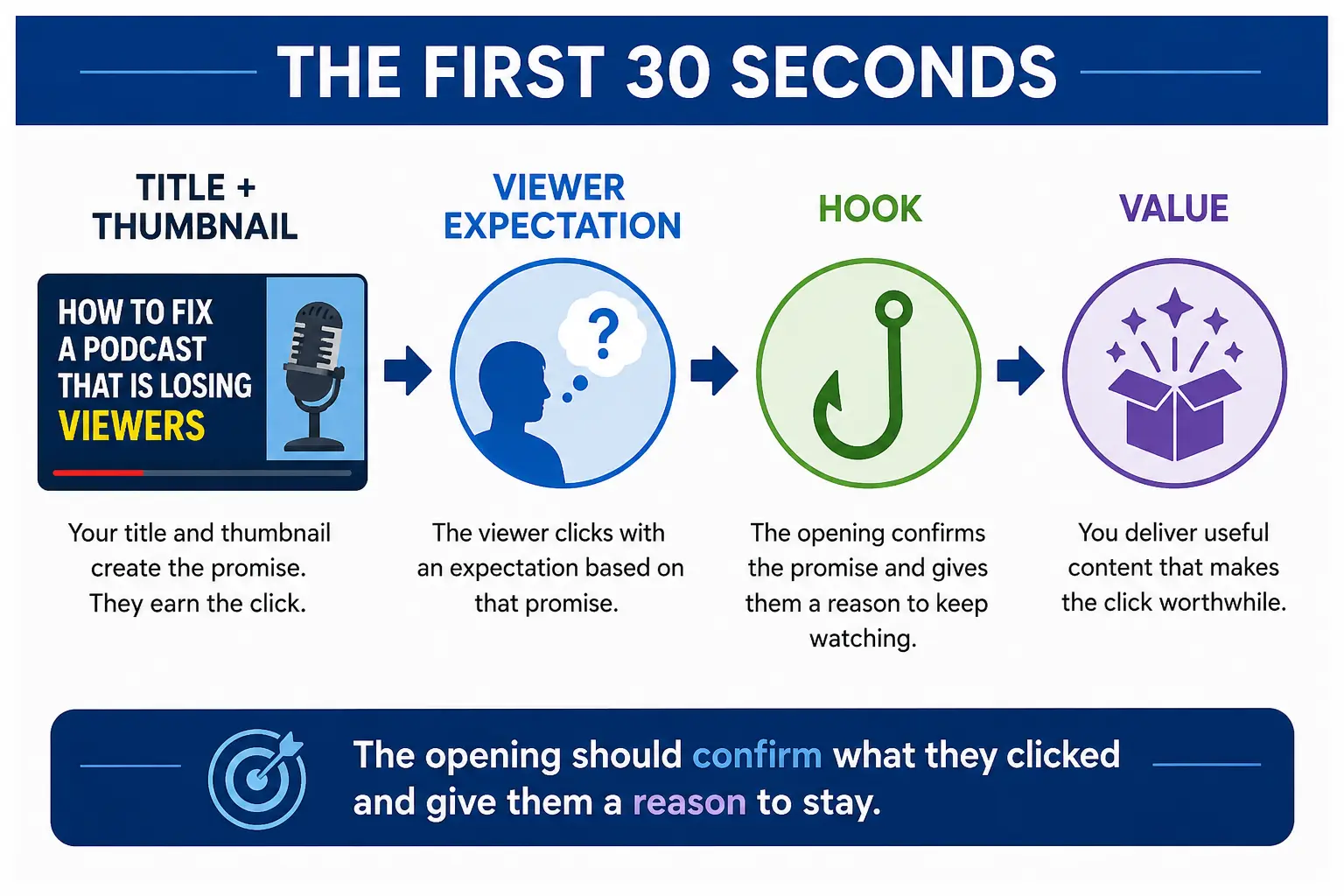
Those two elements create an expectation. The beginning of the video then has to confirm that expectation.
YouTube itself connects strong intro retention with whether the first 30 seconds match what viewers expected from the title and thumbnail.
So think of the sequence this way:
TITLE + THUMBNAIL → VIEWER EXPECTATION → OPENING → DELIVERY
If your title promises:
How to Fix a Podcast That Is Losing Viewers
and the video begins with:
“Hey everybody. Welcome back. Hope you’re having a great week. Before we get started, don’t forget to like and subscribe…”
you’ve created a gap.
The viewer clicked because you promised a solution.
You’re making them wait for it.
This is why your YouTube podcast title and thumbnail strategy and your opening shouldn’t be developed as completely separate production decisions.
The package makes a promise.
The opening starts paying it off.
A Better First-30-Seconds Structure
You don’t need one universal script formula for every video.
But most strong video-podcast openings need to accomplish three things fairly quickly:
1. Confirm the Problem or Promise
Give the viewer immediate evidence that they clicked the right video.
For example:
“If your video podcast looks polished but viewers keep disappearing before the conversation gets going, your opening may be the problem.”
We haven’t introduced the host.
We haven’t explained the whole framework.
We’ve simply confirmed what we’re here to solve.
2. Give Them a Reason to Continue
Now create a useful promise, consequence, distinction, or question.
For example:
“And adding more jump cuts isn’t necessarily the fix. There are three different things happening in those opening seconds, and editing is only one of them.”
Now the viewer knows there is something specific coming.
That’s your hook doing its actual job.
3. Move Into the Value
Don’t spend another 45 seconds explaining what you’re about to explain.
Start explaining it.
Something as simple as this works:
“Start with the promise that got the click. Your title and thumbnail created an expectation. Your first job is to confirm it.”
You’re now teaching.
That’s where you want to be.
For a deeper look at spoken podcast openings, see how to hook podcast listeners without a long intro.
Where the Visual Pattern Interrupt Fits
Once the opening itself is working, visual pacing can reinforce it.
Imagine the opening I just gave you.
You could begin on the normal camera:
“If your video podcast looks polished but viewers keep disappearing…”
Then move to a slightly tighter crop:
“…your opening may be the problem.”
Then put a simple graphic on screen:
TITLE + THUMBNAIL → EXPECTATION → OPENING
That sequence creates visual change, but every change has a reason.
The viewer isn’t being distracted from the idea.
The editing is helping the idea land.
That’s the production distinction I want you to remember:
Change the frame when it helps the communication—not merely because the frame has been sitting there for a few seconds.
You Do Not Need a Multi-Camera Podcast to Do This
A useful visual reset doesn’t require three cameras.
With one well-recorded camera, you may be able to create:
- a normal shot;
- a tighter digital crop;
- an occasional punch-in;
- an on-screen graphic;
- a screenshot;
- relevant B-roll;
- text emphasis.
That gives you several visual tools before you’ve purchased another camera, another lens, another tripod, another capture device, and another opportunity to spend Saturday afternoon troubleshooting HDMI.
Production complexity has a cost.
Use it when it improves the result.
This connects directly to a broader video-production decision I cover in the 4K vs. 1080p video podcasting guide: higher recording resolution can sometimes give you more room to create different crops from one camera when your final output is lower resolution.
The Most Important Pattern Interrupt May Not Be Visual
Here’s where this subject gets more interesting.
Sometimes your retention problem has nothing to do with the camera.
You can cut between six angles and still have a boring episode.
The real pattern interrupt might be:
- changing from explanation to example;
- introducing a specific question;
- moving from theory to a story;
- challenging an assumption;
- showing the actual process;
- bringing the guest into the conversation;
- summarizing the point before moving forward.
That is a structural pattern interrupt.
And in many podcasts, it’s more valuable than another edit.
The same principle matters later in an episode. If your audience stays through the opening but begins drifting during a long middle section, the problem is no longer the hook. That’s where a mid-episode re-engagement strategy becomes more relevant.
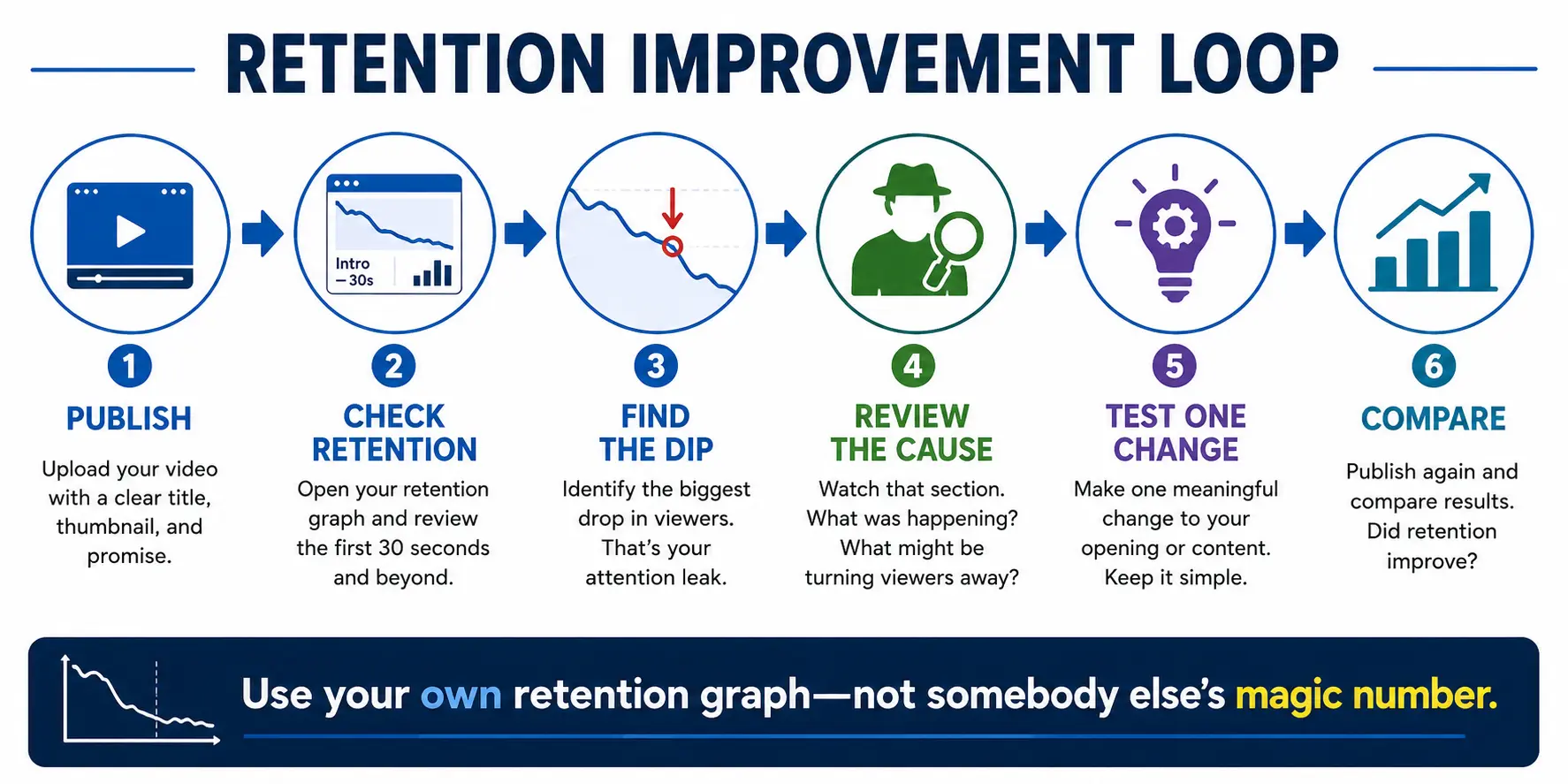
Use Your Retention Graph as a Diagnostic Tool
Don’t adopt somebody else’s magic retention number.
Use your own data.
YouTube’s retention report can show you where viewers stay, where they leave, where they skip, and where sections are replayed. YouTube describes these as top moments, dips, and spikes.
Start with the first 30 seconds and ask:
Where does the drop happen?
Then watch that section again.
Look for possible causes:
- Did the title promise one thing while the opening started somewhere else?
- Did a long logo or theme delay the topic?
- Did the host spend too much time introducing everyone?
- Did the hook raise a question without giving the viewer confidence it would be answered?
- Did the video become visually confusing?
- Did the opening simply take too long to reach anything useful?
Then change one meaningful variable on future episodes.
Maybe you shorten the introduction.
Maybe you move your strongest example earlier.
Maybe you eliminate a logo animation.
Maybe you put the core question on screen.
Maybe you start on the guest instead of the host.
Then compare.
YouTube itself recommends experimenting with different first-30-second approaches rather than treating one format as universally correct.
That’s a much better production system than blindly adding edits.
Pattern Interrupts Should Support the Episode, Not Rescue It
A pattern interrupt cannot fix a video that doesn’t know what it wants to say.
If the episode has no clear promise, weak positioning, a wandering conversation, or an unclear viewer, editing can only disguise the problem for so long.
The strongest video-podcast retention system begins upstream:
What did we promise?
Why should this viewer care?
What should happen next?
How can the production help communicate that clearly?
Then use the camera changes, graphics, examples, pacing, sound, and edits to support those decisions.
That’s very different from treating retention as an editing trick.
A Simple Video Podcast Retention Workflow
Before your next video podcast goes live:
- Define the episode promise.
- Make the title and thumbnail communicate that promise.
- Confirm that promise immediately in the opening.
- Give the viewer a reason to keep watching.
- Move into useful content quickly.
- Use visual or structural changes when they help the lesson.
- Review the audience-retention graph after publication.
- Identify the largest attention leak.
- Test one meaningful change on the next comparable video.
You don’t need to turn your podcast into a hyperactive YouTube montage.
You need an opening that respects the viewer’s click.
The editing should help.
Want a Repeatable Retention Diagnostic?
The Podcast Retention Rescue Kit was built specifically for this problem. It includes an Episode Retention Quick Audit, Podcast Retention Arc Builder, First 60 Seconds Hook Builder, Midpoint Reset Planner, Listener Re-Entry Scripts, and Pattern Interrupt Host Lines.
You can explore it inside the Podcasting Pro Tools Library